Virtual Properties
1. Overview
For event properties and user properties that have been reported, you can set virtual properties to map the originally uploaded data to another display or calculated value, so that the initial buried property value is not the same as the display value, and the data can be processed at a later time to improve flexibility.
Virtual attributes are calculated by SQL expressions on the base property field to obtain a new property field.
Virtual event properties can be created and managed in event property management, and virtual user properties can be created and managed in user property management.
2. Applicable Roles and Uses
| Roles | Usage |
|---|---|
| Data Product Manager / Analyst | Transformation of buried fields, reduce the complexity of buried solution design, and make up for the defects in buried design and development. |
| Data analysts (data product managers / analysts / operations) | Self-assisted extraction of some of the low-frequency or a small number of scenarios from the existing buried data, rapid response to analysis needs. |
3. New Virtual Attribute
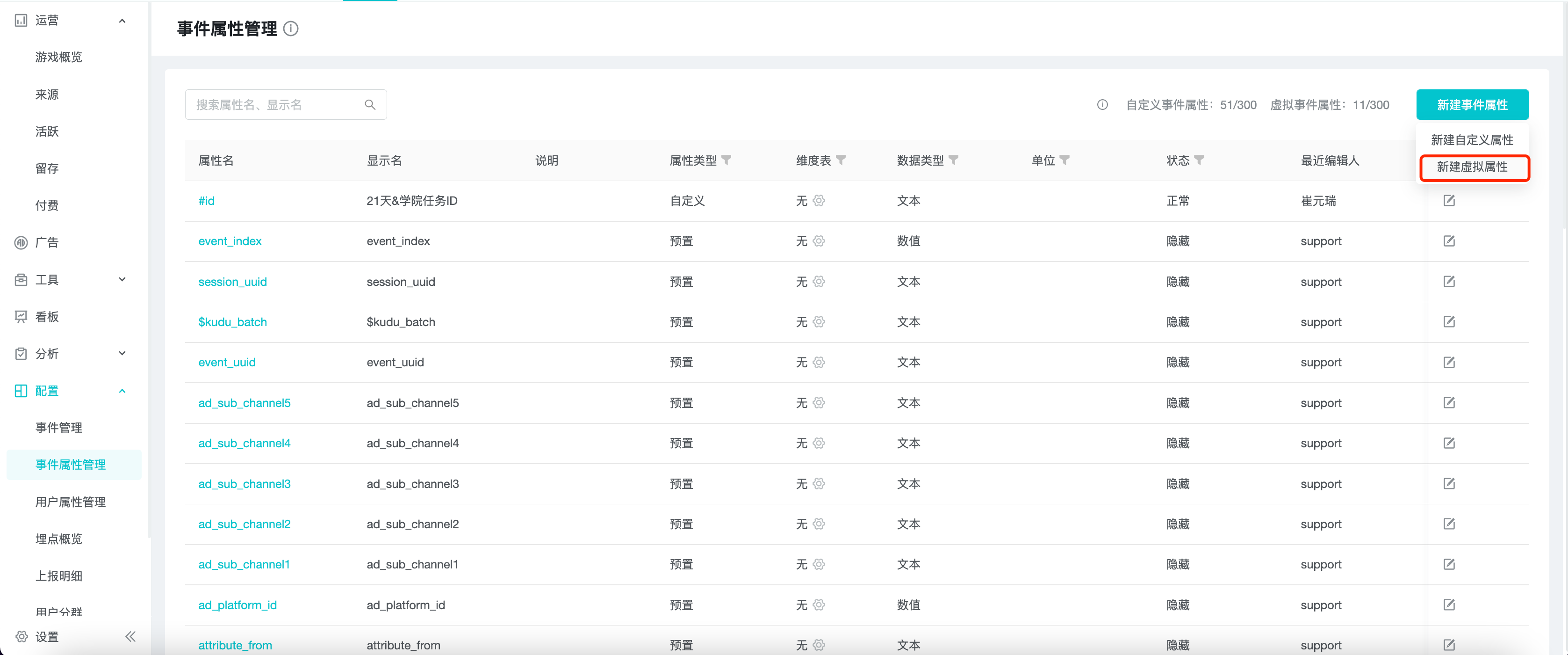
Click "New Event Attribute" or "New User Attribute" in the upper right corner of Event Attribute Management or User Attribute Management, and select "New virtual attribute".
3.1 Fill in the basic information
3.1.1 General Basic Information
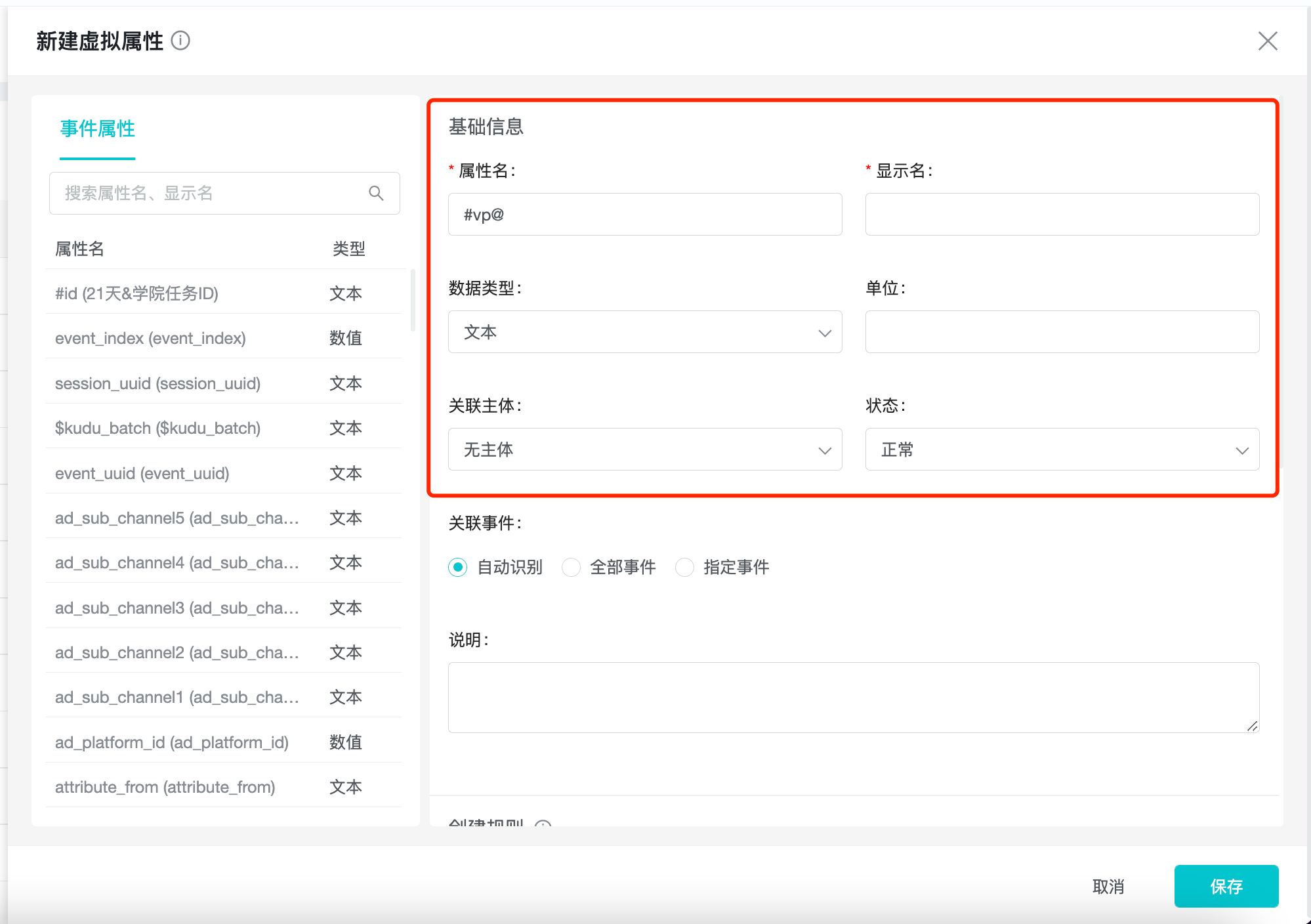
Fill in or select the property name, display name, data type, unit, and description, with the property name starting with #vp@ by default.
3.1.2 虚拟事件属性的独有基础信息
Select "Associated Subjects", different choices correspond to different ranges of base properties (preset properties and custom properties are collectively called base properties), and the application range of this virtual property.
| Associated Subjects | Range of Base Attributes | Range of Virtual Attribute Applications |
|---|---|---|
| No Subject | Event Attributes | When using a device or account as the query subject. |
| Account number | Event properties & Account properties. Account properties | When using account number as the query subject. |
| Device | Event properties & Device properties. Device Properties | When the device is the subject of the query. |
Select "Associated Events" and the different association logic is as follows.
-
Auto-identify: associate the concatenation of the events associated with the base event property involved in the SQL code
-
All events: associate all events, or automatically associate if new events are added
-
Specified events: associate specified events
3.1.3 Unique base information for virtual user properties
Select "User ID", different choices correspond to different base attribute ranges, and the application range of this virtual property.
| User ID | Base attribute range | Virtual attribute application range |
|---|---|---|
| Account | Account Properties | When the account is the subject of the query. |
| Device | Device Properties | When the device is the subject of the query. |
! unique base information for account attributes
3.2 Edit the creation rules of virtual attributes
You can quickly get information about the currently available base properties in the list on the left side by entering SQL expressions in the text box.
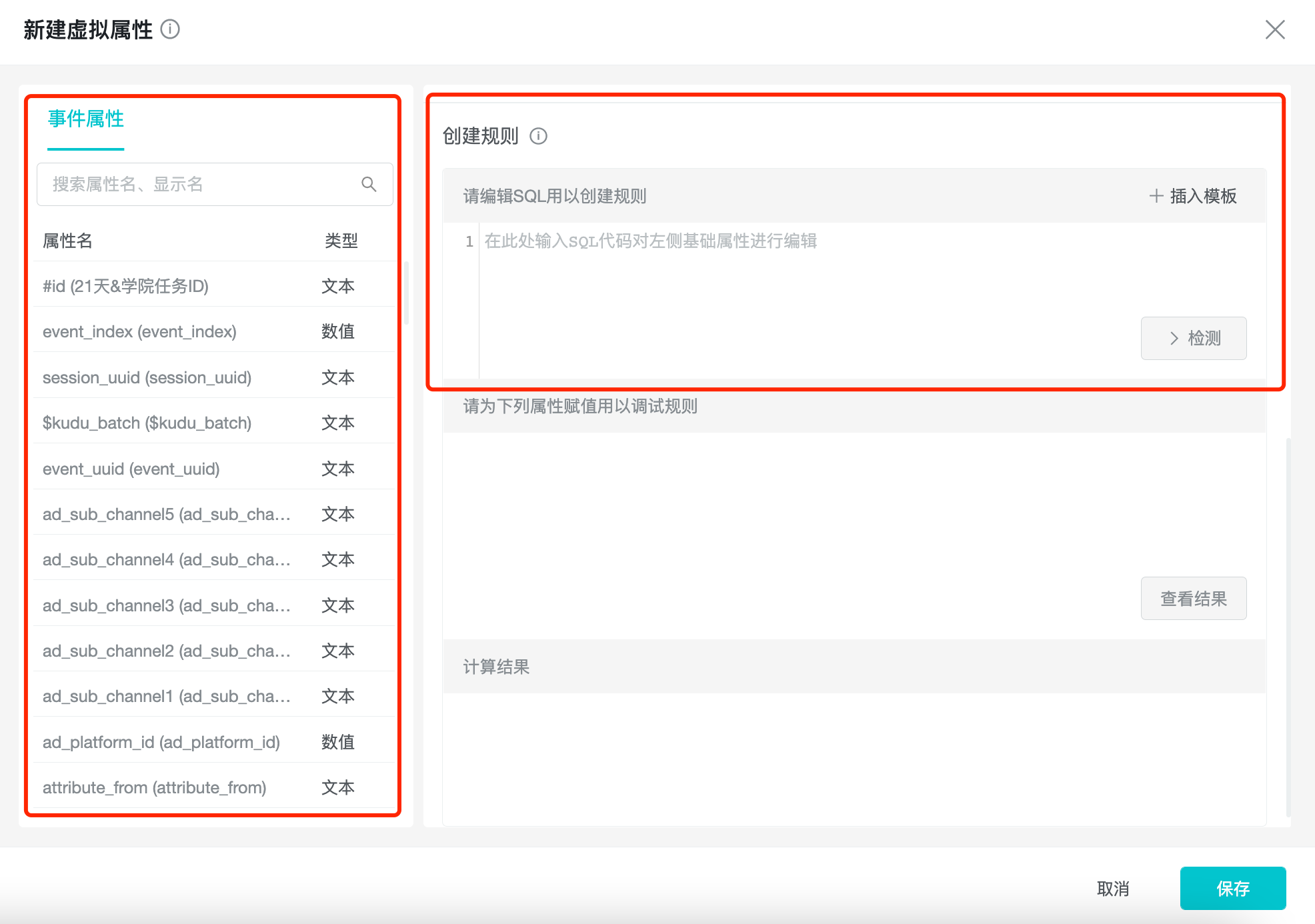
The SQL expressions of virtual properties use presto syntax, and you can access presto documentation to get the syntax of presto and how to use the functions.
You can insert code snippets required for common application scenarios through the "Insert Template" function, and create virtual properties easily and quickly by replacing field names and modifying the logic.
3.3 Logic Checking
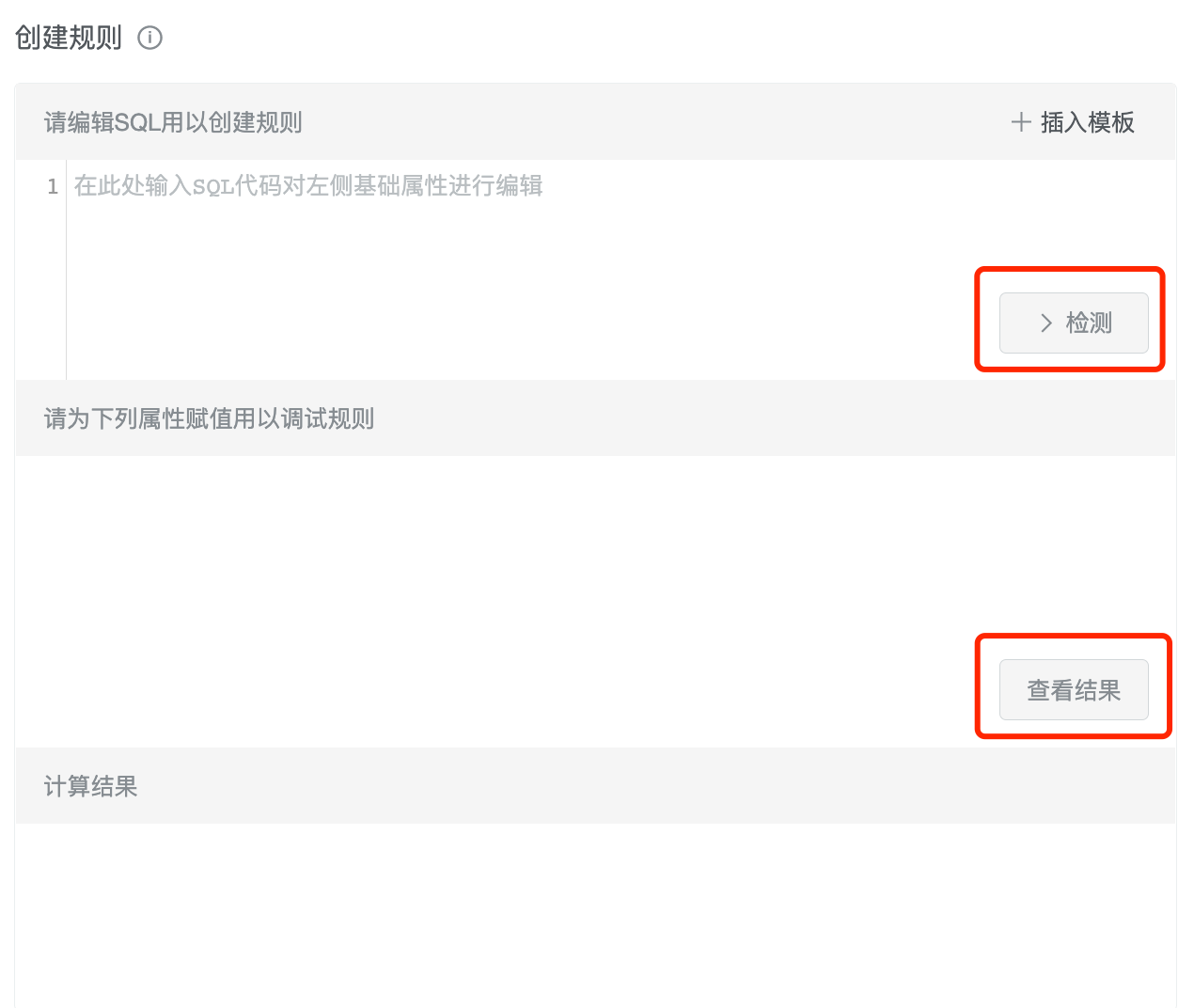
After inputting the content, you can click "Verify" to check the range and SQL syntax of the base property, and the value input box of the property will appear in the "Debug" panel if the verification is successful.
You can check whether the result meets the requirement by checking the result after entering the validation value. If it meets the requirements, you can click "Next" to finish creating the property. If it does not meet the expectations, you can continue to modify the creation rules and repeat the verification.
4. Management and use of virtual properties
4.1 Managing virtual properties
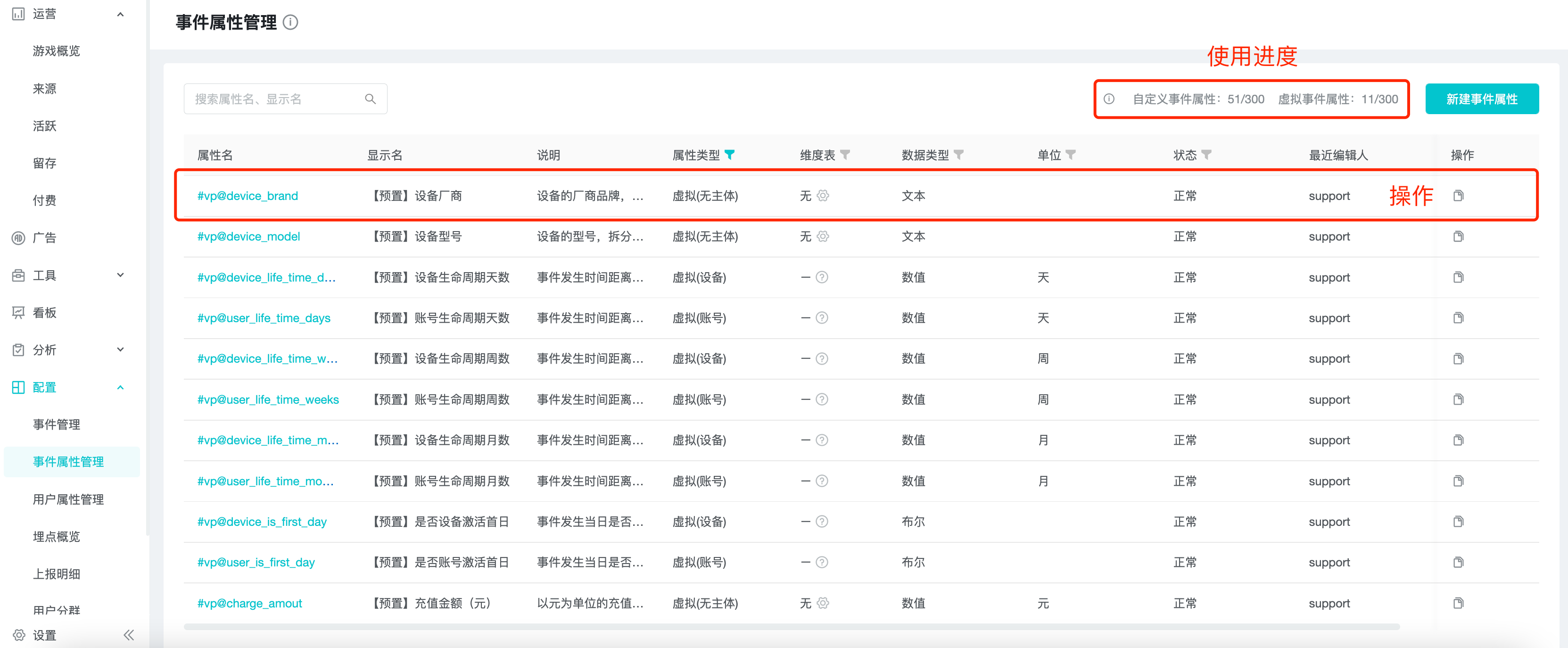
Virtual properties can be managed in the event property management or user property management pages. The maximum number of virtual event attributes and virtual user attributes that can be created is 300, and they can be edited and deleted.
4.2 Considerations for use in models
Virtual properties are used in the same way as usual properties, with their calculation logic and filtering conditions determined by their type.
Virtual event properties can be used in the calculation of their associated events, and the association can be customized.
Virtual user properties are used in the same scenarios as normal user properties.
5. Best Practices
5.1 Fix a field type reporting error in buried development
The user age field "age" was incorrectly reported as text. Before re-release, the user age is now temporarily and urgently needed for analysis.
cast("age" as int)
5.2 Calculating user lifecycle
Based on the user's "activation_time" and the event "time", we need to calculate the user's lifecycle when the user's action occurs.
date_diff('day', date("activation_time"), date("time"))
5.3 Unit conversion by arithmetic operations
There is already a payment amount field "amount" in "cents", which needs to be converted to "dollars".
"amount" / 100
5.4 Identifying separate roles or other subjects that you want to analyze
A user can create different roles on different servers. The fields identifying the roles are generated based on the user identity field "user_id" and the server identity field "server_id".
concat("server_id", "user_id")
5.5 Intercepting fields to obtain key dimensional information in complex fields
Intercept the month of posting based on the ID "post_id " of the forum post (example: 10086202012310001).
substring("post_id", 6, 6)
5.6 Sorting pages by functional modules
The buried point records the url address of the user's visit, and now it is necessary to know the situation of the functional module used by the user.
case

    when "url" like '%home%' then '首页'

    when "url" like '%store%' then '商城'

    when "url" like '%stage%' then '剧情'

    else '其他'

end