User Label
1. Overview
User labels are like user properties, with certain types of user characteristics as "user labels" and the specific performance of users under the characteristics as "label values". It is used to divide users into different groups, and it is easy to use the labels for dimensional grouping or filtering in various analysis models.
In TapDB, "User" and "Device" are used as query subjects for query, and "User" and "Device" are also used as subjects for creating tags in user labels.
It supports creating user labels by "indicator value", and more label creation methods will be opened in the future.
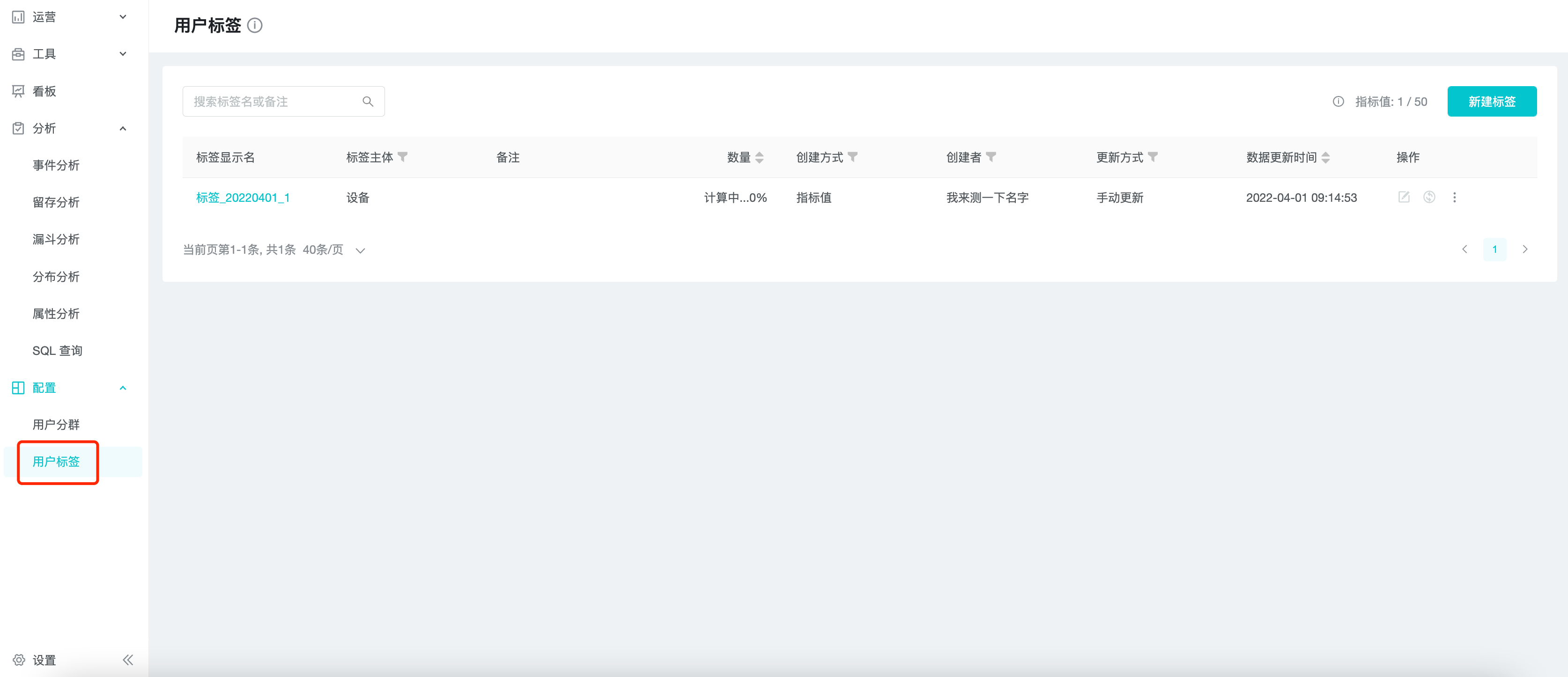
2. Applicable Roles and Uses
| Roles | Uses |
|---|---|
| Analyst / Business Personnel | Calculate user behavior metrics over time, and group and filter users in the analytics model. |
3. Create User Labels
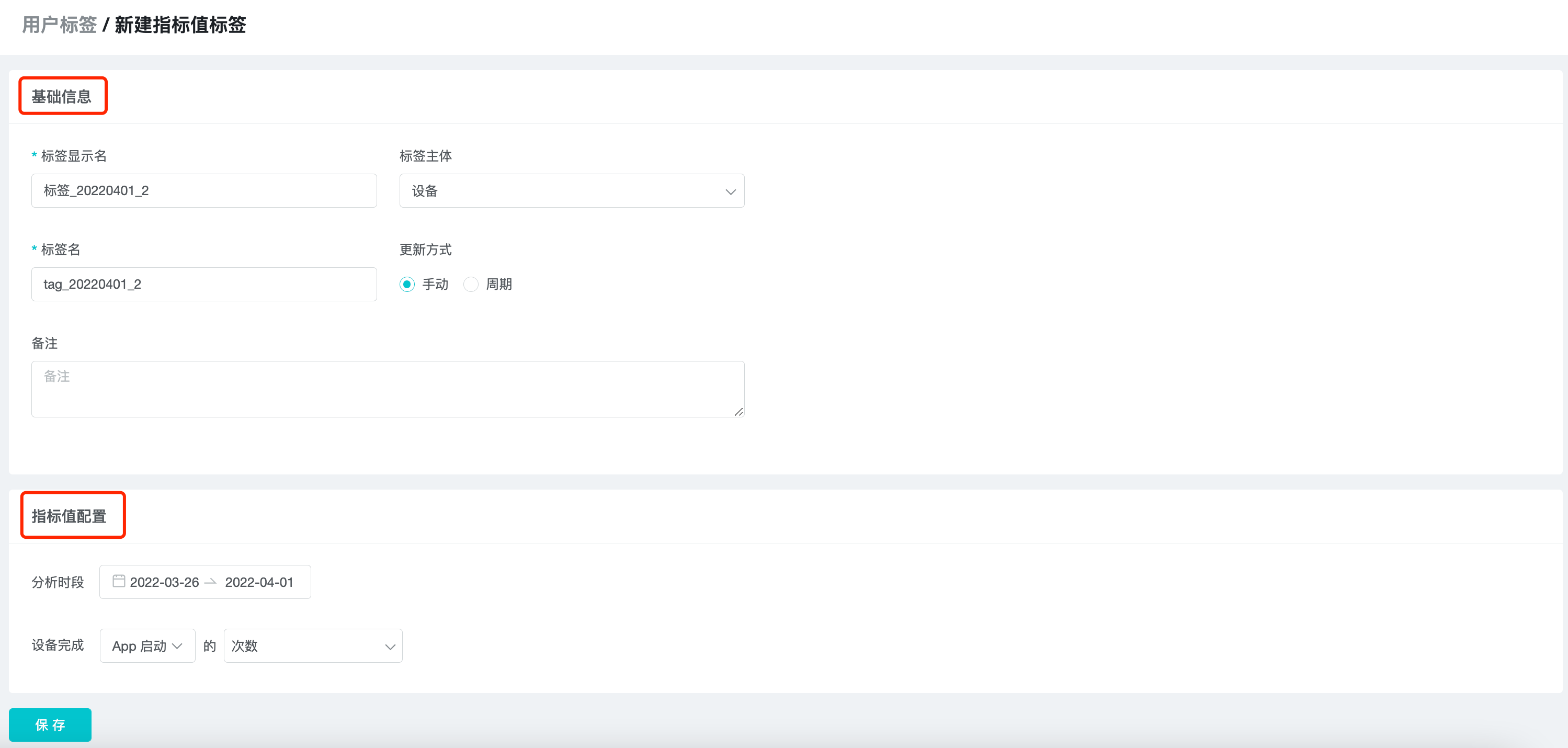
Click "New label" in the upper right corner of the tab list and select "index value label".

The current page is divided into two parts: "basic information" and "Index value configuration".
3.1 Basic Information
Fill in "Label display name", "Tag", "Label", "Update method", and "Remark" in order.
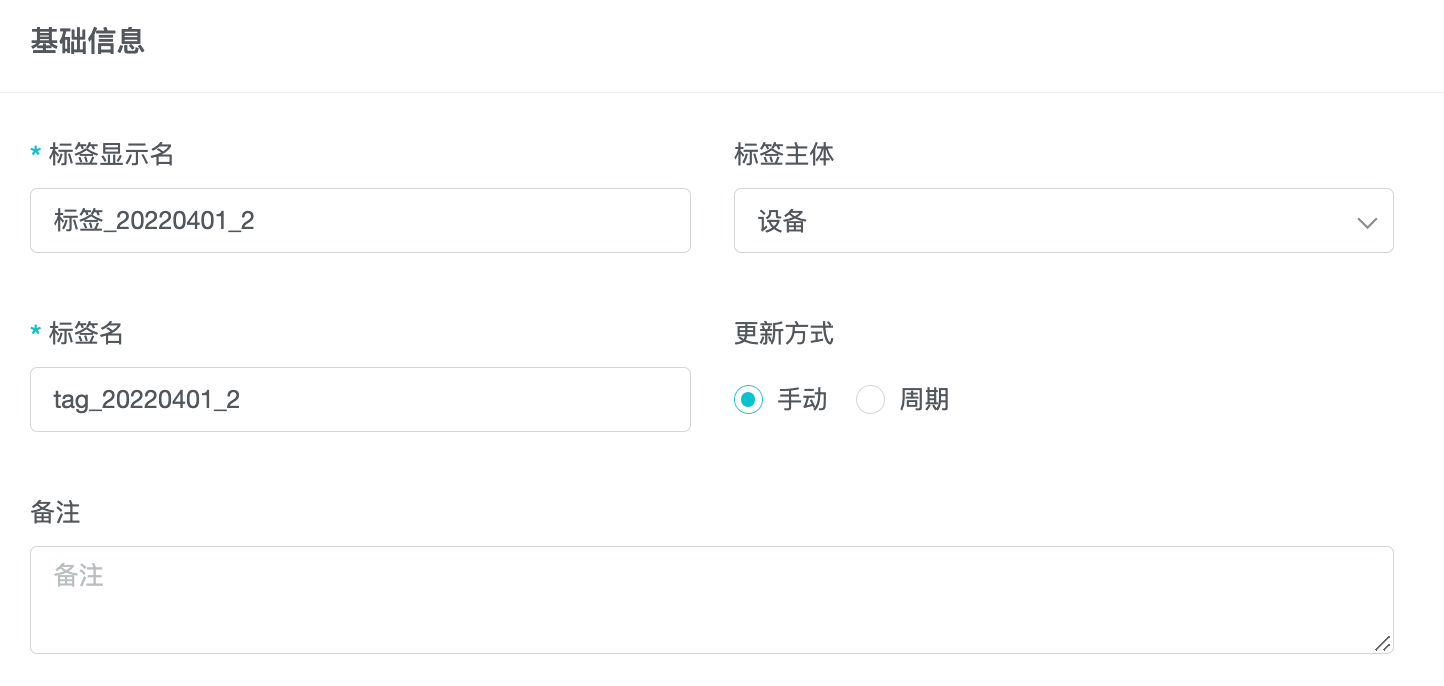
Tag display name is displayed in the subgroup list, analysis model, and is the basis for business personnel to identify tags.
Tag support "User" or "device", choose which type according to the business scenario.
The Label is the unique identification of the subgroup stored in the system background, and can be named as the parameter name with business meaning for the convenience of data analysts to query the database table directly.
The update method is divided into "manual update" and "automatic update". "Manual update" means that the system will not automatically update user tags after the first calculation is completed, and users need to update them manually; "Automatic update" will update user tags after 0:00 every day, using the previous day as the base.
3.2 Index Value Configuration
The aggregated metrics of the user's completed events in the specified time period as the tag value.
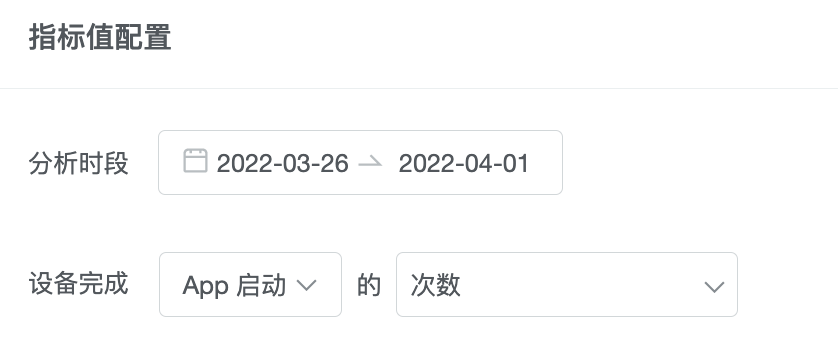
Users who completed the event will belong to the tag, and users who did not complete the event have no tag value.
Determine the tag value of users through indicators. Based on the method of creating indicators in "Event Analysis", add "days" and "hours" of "events", and also support property filtering and editing formulas.
4. Management And Use Of Tags
4.1 Manage User Tags
The tabs will be displayed in a list on the user tab, and users can view, edit, delete, update, download, and copy operations on the subgroups.

The "Number" represents the number of users with values under the tag, and the "Data Update Time" is the time when the tag was last calculated.
4.2 User Tag Details
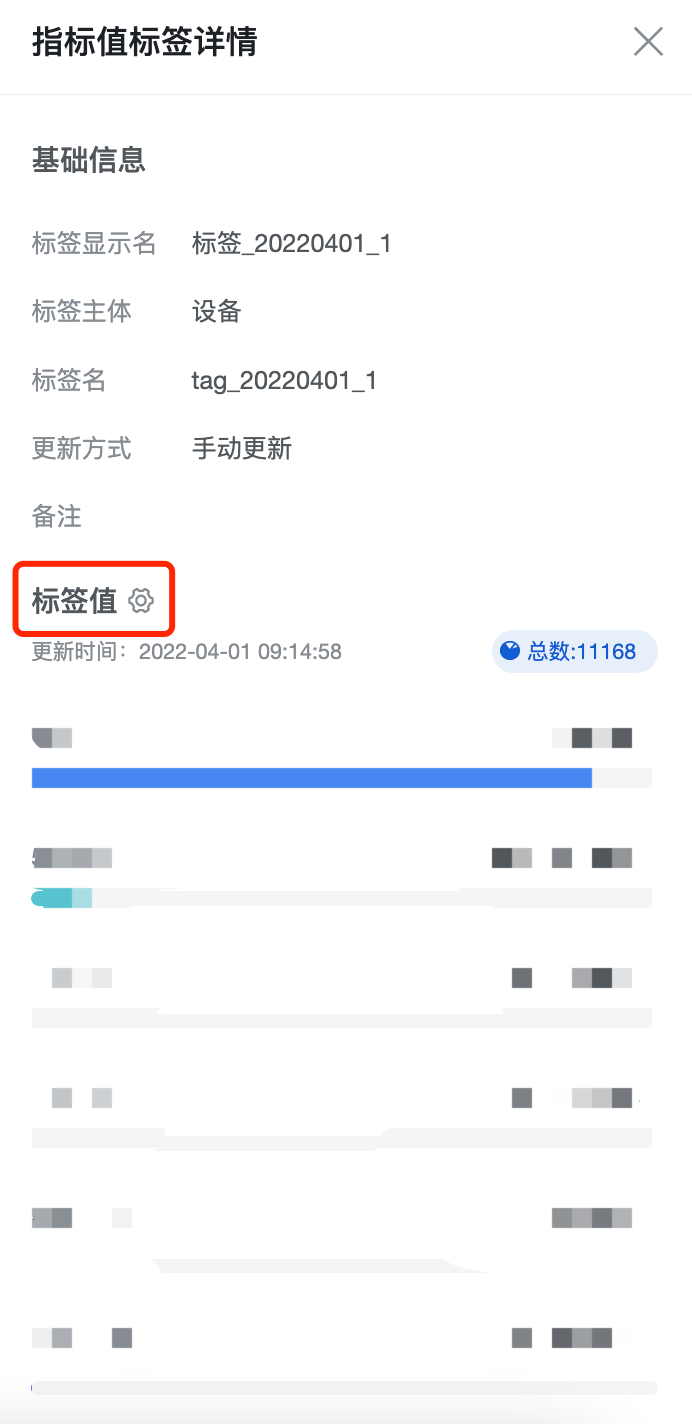
Since the values of the indicator value tags are discrete and numerous values, the display distribution of the indicator values can be set in the tag details for reading purposes, but without changing the indicator values themselves.
4.3 Using User Tags In Analytics Model
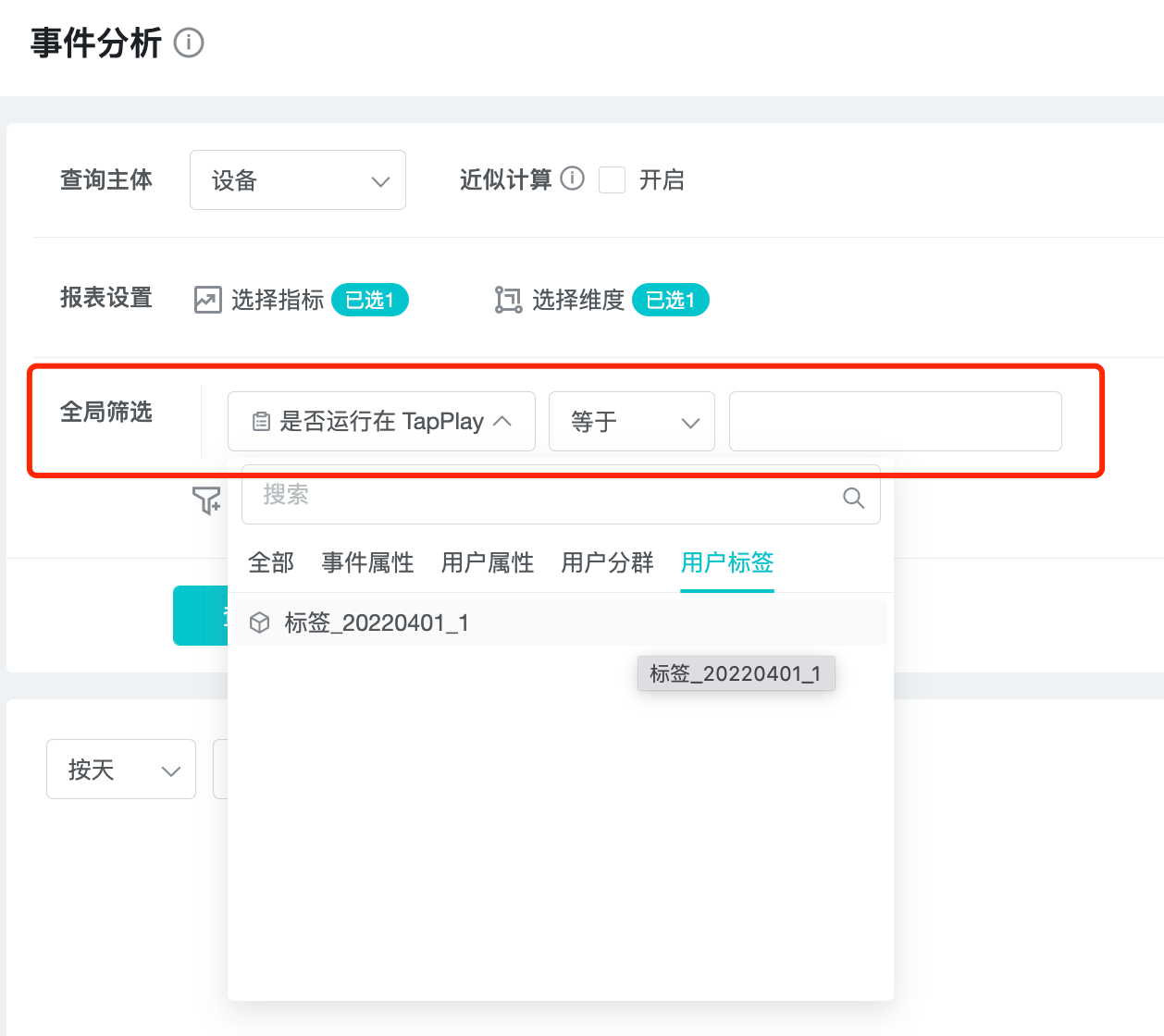
As with user properties, user tags can be used as filter conditions.
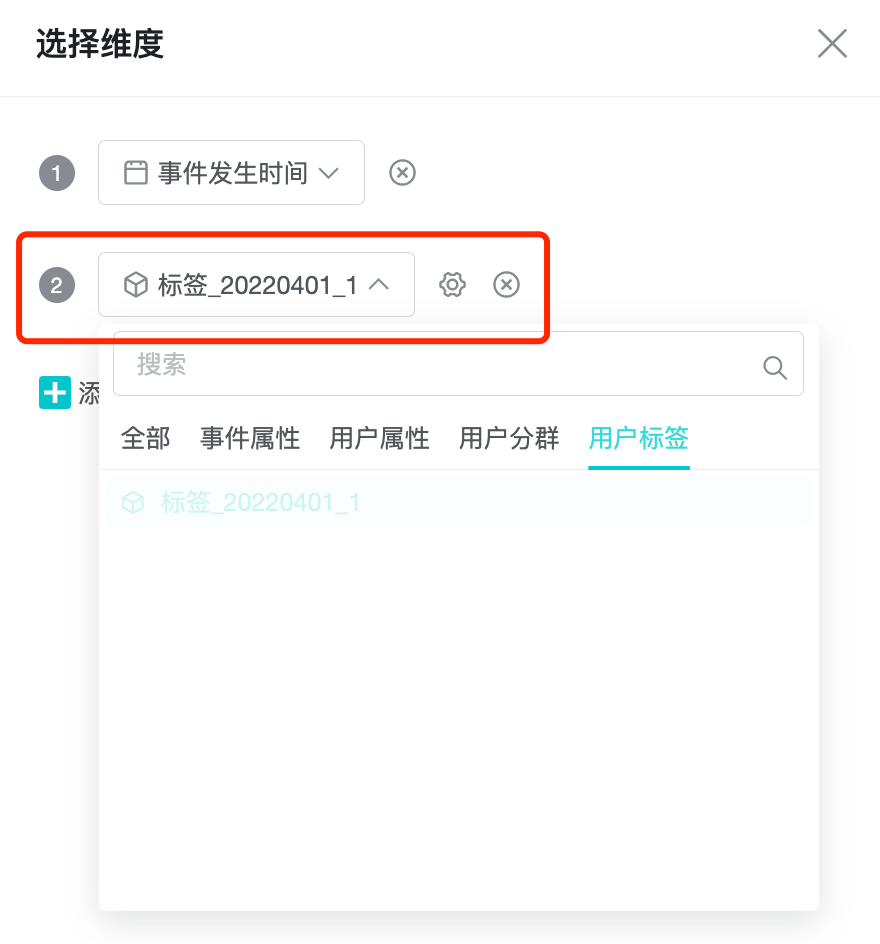
The user tag can be used as a grouping dimension.
5. Best Practices
In " Indicator Value", you can calculate indicators of each user's behavior in a certain time period, such as the number of days logged in, amount paid, etc. These indicator value tags can be used as grouping dimensions in event analysis, attribute analysis to group users for analysis, or as filtering items for further drill-down analysis of users.